Choosing the right wireless broadband equipment is essential for Internet Service Providers (ISPs) and Wireless Internet Service Providers (WISPs) that want to deliver reliable, high-speed internet connectivity. The right wireless network can help expand coverage, improve subscriber experience, and support future business growth.
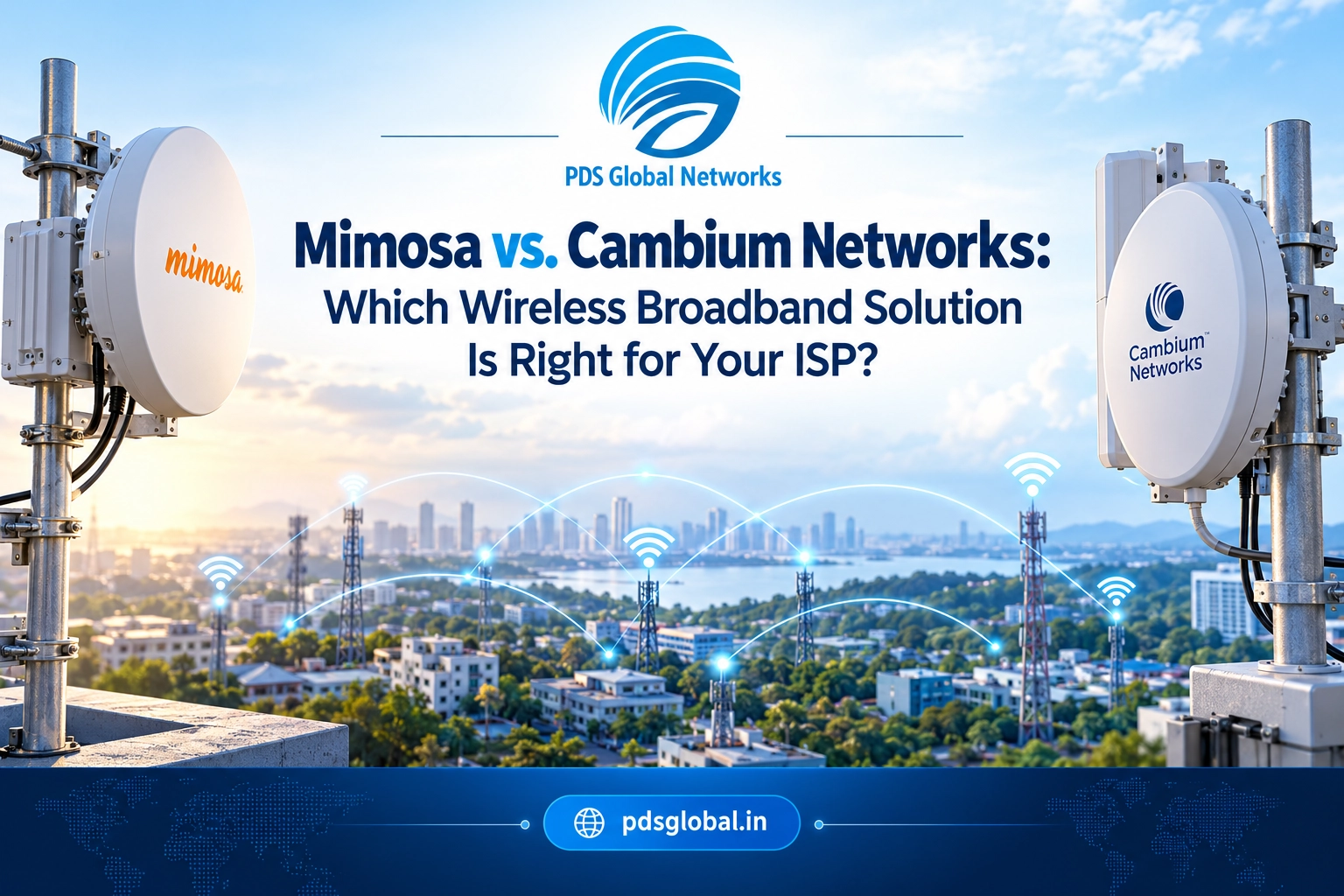
Two established names in fixed wireless networking are Mimosa Networks and Cambium Networks. Both offer wireless access points, subscriber devices, and solutions for point-to-point (PtP) and point-to-multipoint (PtMP) deployments, although their product capabilities and system requirements vary.
So, which is better: Mimosa vs. Cambium Networks for your ISP?
The short answer: Mimosa is worth evaluating for flexible fixed-wireless deployments, modular radio options, and wireless backhaul applications. Cambium Networks is worth considering for ISP and WISP networks that require compatible access points, subscriber modules, and network management solutions. The best choice depends on your coverage targets, subscriber density, interference conditions, throughput requirements, and budget.
In this guide, we compare both brands to help ISPs, WISPs, telecom installers, and network integrators make informed purchasing decisions.
1. What Is Mimosa Networks?
Mimosa Networks specializes in fixed wireless broadband technology for service providers, enterprises, and other organizations that need wireless connectivity. Its portfolio includes access points, subscriber radios, backhaul equipment, antennas, and accessories for different network configurations.
Mimosa equipment can be used in rural broadband deployments, wireless internet delivery, tower-to-tower links, and last-mile connectivity projects.
You can explore Mimosa wireless networking products at PDS Global Networks to review available radios, antennas, and related accessories.
Key benefits of Mimosa wireless solutions
- Flexible deployment options: Selected models support PtP backhaul or PtMP subscriber connectivity.
- Modular antenna choices: Compatible models can support different antenna configurations to suit link distance and deployment requirements.
- Wireless capacity: Product families offer different throughput and subscriber-capacity capabilities.
- Outdoor deployment: Selected devices are designed for outdoor installations and demanding environmental conditions.
- Interference management: Supported technologies can help operators manage challenging radio-frequency environments.
- Deployment flexibility: Different product types can address access, client connectivity, and backhaul requirements.
For example, the Mimosa A5X-EF access point is designed for PtMP deployments. The Mimosa B6X backhaul solution is designed for wireless backhaul and relay applications.
The correct device depends on the network topology, distance, antenna configuration, frequency availability, and required performance.
2. What Is Cambium Networks?
Cambium Networks provides wireless broadband, enterprise Wi-Fi, switching, and network management solutions for service providers and organizations.
Its wireless broadband portfolio includes the ePMP product family, which offers access points and subscriber modules for supported fixed-wireless deployments. Other Cambium product families address different wireless connectivity requirements.
For ISPs and WISPs, Cambium equipment can help build wireless access networks that serve residential customers, commercial premises, and locations where fiber deployment may be difficult or expensive.
Explore Cambium Networks wireless broadband products at PDS Global Networks to compare available access points, subscriber equipment, and related networking devices.
Key benefits of Cambium Networks
- ISP-focused equipment: Selected product families are designed for fixed-wireless broadband deployments.
- PtMP networking: Compatible access points and subscriber modules can support last-mile wireless connectivity.
- Wireless backhaul options: Selected products support PtP connectivity between network locations.
- Network management: Compatible solutions provide monitoring and management capabilities for supported devices.
- Product range: The broader portfolio includes wireless networking, enterprise access points, and switching equipment.
- Deployment flexibility: Different product families can address different coverage, capacity, and installation requirements.
For example, the Cambium ePMP family includes equipment for wireless broadband access. Your choice should be based on the required radio performance, compatible subscriber devices, supported frequency bands, and network design.
3. Mimosa vs. Cambium Networks: Quick Comparison
| Feature | Mimosa Networks | Cambium Networks |
| Primary use cases | Fixed wireless broadband, access, and backhaul | Fixed wireless broadband, access, and backhaul |
| PtP connectivity | Supported by selected products | Supported by selected products |
| PtMP connectivity | Supported by selected products | Supported by selected products |
| Antenna configurations | Vary by model; some radios offer modular options | Vary by model and product family |
| Interference management | Features depend on device and software | Features depend on device and software |
| Network management | Tools vary by product family | Tools vary by product family |
| Subscriber equipment | Available across selected product families | Available across selected product families |
| Best buying approach | Match radio, antenna, and capacity to the link design | Match access point, subscriber module, and management requirements |
Important: These brands do not have identical products across every category. Compare specific models rather than assuming that all Mimosa and Cambium devices are interchangeable.
4. Wireless Performance: Which Brand Is Better for ISPs?
Wireless performance is one of the most important factors when selecting WISP networking equipment. However, real-world performance depends on much more than the manufacturer’s advertised maximum throughput.
Consider the following factors before choosing either brand.
Throughput and subscriber capacity
Your access point must support the expected traffic demand of connected subscribers. A network serving a small rural community may have different requirements from a high-density deployment with hundreds of active connections.
Evaluate:
- Aggregate access point throughput
- Expected busy-hour traffic
- Number of concurrent subscribers
- Channel width and supported frequency bands
- Modulation and signal quality
- Backhaul capacity and Ethernet port speeds
A high-capacity radio cannot overcome an undersized backhaul link or excessive network congestion.
Coverage and link distance
Coverage depends on antenna gain, transmit power, receiver sensitivity, frequency, terrain, obstructions, and regulatory restrictions.
Mimosa and Cambium both offer products for different link requirements, but not every model is appropriate for long-distance connectivity.
Before deployment, conduct a link budget calculation and verify line of sight, Fresnel zone clearance, antenna alignment, and expected fade margin.
Interference management
Interference can reduce throughput, increase latency, and cause unstable connections, especially in crowded unlicensed spectrum.
Compare the supported spectrum-analysis tools, channel-selection options, synchronization features, and interference-mitigation capabilities of the exact models you are considering.
Which brand is better for performance? Neither brand is universally faster. The better solution is the one that delivers the required performance under your actual spectrum, distance, subscriber-load, and installation conditions.
5. PtP vs. PtMP: Which Wireless Architecture Does Your ISP Need?
Before selecting wireless broadband equipment, determine whether your project requires point-to-point or point-to-multipoint connectivity.
Point-to-point wireless (PtP)
A PtP wireless link connects two network locations, such as a main tower and a remote distribution site.
Typical applications include:
- Tower-to-tower wireless backhaul
- Connecting two office buildings
- Extending connectivity to remote sites
- Connecting a remote network to a fiber-connected location
For example, a WISP may deploy a dedicated wireless backhaul link to carry aggregated traffic from a remote tower to its core network.
Both Mimosa and Cambium offer selected products for PtP applications. Compare the required throughput, link distance, antenna gain, spectrum, and redundancy options before purchasing.
Point-to-multipoint wireless (PtMP)
A PtMP network uses an access point to serve multiple subscriber devices.
Typical applications include:
- Residential fixed wireless broadband
- Rural internet services
- Commercial internet connectivity
- Last-mile wireless access
For example, an ISP may install an access point on a tower and connect compatible subscriber radios at customer premises.
In this setup, evaluate the access point’s subscriber capacity, available sector coverage, channel reuse, interference environment, and aggregate traffic demand.
Which architecture is right for your network?
Choose PtP when the main requirement is a dedicated link between two locations. Choose PtMP when a central access point must serve multiple subscribers. Some ISP networks require both architectures to deliver reliable connectivity.
6. Mimosa Vs Cambium Networks for Rural Broadband in India
Rural broadband expansion often presents challenges such as long distances, difficult terrain, limited fiber infrastructure, and high deployment costs.
Fixed wireless access can help ISPs extend connectivity to underserved areas when a suitable line-of-sight path, spectrum plan, and network design are available.
For rural ISP deployments in India, consider these factors:
Geographical coverage: Survey terrain, vegetation, buildings, and elevation before choosing radios and antennas.
Spectrum availability: Check the applicable Indian frequency-allocation and licensing requirements. Do not assume that every band supported by a device can be used without restrictions.
Subscriber growth: Estimate the number of customers you expect to serve over the next two to three years.
Backhaul availability: Ensure that the upstream internet connection and tower-to-core links can support aggregate subscriber demand.
Power and environmental protection: Plan for suitable power supplies, grounding, surge protection, and weather-resistant installations.
Local support and supply: Confirm product availability, warranty terms, replacement availability, and technical support for the exact SKU.
For an ISP planning rural broadband expansion, the right equipment is the combination that satisfies the network’s capacity, coverage, regulatory, and total-cost requirements.
7. Cost Comparison: Mimosa vs. Cambium Networks
There is no single price comparison that applies to every model in either portfolio. Equipment costs vary according to the device, antenna configuration, power accessories, supplier, and deployment requirements.
When evaluating the cost of wireless broadband equipment, consider the complete installation rather than the radio price alone.
| Cost factor | What to evaluate |
| Radio equipment | Access points, subscriber modules, and backhaul radios |
| Antennas | Required gain, compatibility, and mounting accessories |
| Power | Compatible PoE injectors, switches, and power supplies |
| Protection | Grounding, surge protection, and outdoor cabling |
| Installation | Tower access, alignment, labor, and commissioning |
| Operations | Monitoring, troubleshooting, maintenance, and replacement |
| Expansion | Additional subscribers, sectors, backhaul capacity, and future upgrades |
Mimosa may suit deployments where its available radio and antenna configurations align with the required network design. Cambium may suit operators seeking compatible access and subscriber equipment within their chosen product family.
The most cost-effective solution is not necessarily the cheapest radio. It is the solution that meets performance requirements while minimizing total deployment and operating costs.
8. How to Choose the Right ISP Wireless Equipment
Follow this checklist before purchasing Mimosa or Cambium equipment for your ISP.
Step 1: Define the network objective
Determine whether you need a PtP backhaul link, PtMP access network, subscriber radio, or a combination of these.
Step 2: Estimate bandwidth requirements
Calculate expected busy-hour usage, the number of subscribers, and the capacity needed for future growth.
Step 3: Survey the site
Evaluate line of sight, Fresnel zone clearance, tower height, terrain, interference, and available mounting locations.
Step 4: Check compatibility
Verify frequency bands, antenna connections, supported subscriber devices, Ethernet speeds, PoE requirements, and management compatibility.
Step 5: Confirm regulatory requirements
For deployments in India, confirm the applicable Wireless Planning and Coordination (WPC) requirements and other relevant regulations for the exact device and operating frequency.
Step 6: Compare complete deployment costs
Include radios, antennas, power equipment, protection accessories, installation, support, and future expansion.
Step 7: Plan for monitoring and maintenance
Choose equipment that your team can configure, monitor, troubleshoot, and maintain effectively.
PDS Global Networks offers Mimosa products and Cambium Networks products that can be reviewed when preparing a wireless network equipment shortlist.
9. Why Buy Wireless Broadband Equipment from PDS Global Networks?
ISPs, WISPs, telecom installers, and network integrators need access to suitable networking equipment and reliable product information.
PDS Global Networks provides a catalogue of wireless networking products, including Mimosa and Cambium Networks equipment, alongside other networking and communication brands.
Before ordering, confirm the exact model, current stock status, regional compatibility, accessories, warranty coverage, and delivery terms with the supplier.
You can browse the PDS Global Networks product catalogue to explore available networking products and identify equipment for your deployment.
Conclusion
Both Mimosa Networks and Cambium Networks offer wireless broadband equipment for ISP and WISP deployments. However, the best choice depends on the type of wireless link, required capacity, network architecture, interference conditions, and operating budget.
Consider Mimosa when its available access point, subscriber radio, backhaul, and antenna options match your fixed-wireless network design.
Consider Cambium Networks when its compatible access points, subscriber modules, and management capabilities meet your ISP’s technical and operational requirements.
For Indian ISPs, the final decision should also account for applicable spectrum regulations, site conditions, equipment availability, and long-term support.
Rather than choosing by brand name alone, compare exact models and design your network around measurable coverage, throughput, reliability, and total cost of ownership.
Explore Mimosa wireless broadband equipment and Cambium Networks wireless solutions at PDS Global Networks to shortlist products for your ISP or WISP deployment.
Frequently Asked Questions
1. Which is better for ISPs: Mimosa or Cambium Networks?
Both brands offer products for fixed-wireless ISP deployments. Mimosa is worth evaluating for its access and backhaul options, while Cambium is worth considering for its ePMP access and subscriber equipment. Compare exact models, capacity, compatibility, and total cost before deciding.
2. What is the difference between Mimosa and Cambium Networks?
Both offer wireless broadband solutions, but product families, management tools, supported technologies, and hardware capabilities differ. The most useful comparison is between specific access points, subscriber modules, or backhaul radios designed for the same application.
3. Is Mimosa suitable for WISP networks?
Yes. Selected Mimosa products support fixed-wireless deployments, including PtMP access and PtP backhaul applications. The right model depends on subscriber capacity, range, frequency, antenna configuration, and environmental conditions.
4. Is Cambium Networks suitable for rural broadband in India?
Selected Cambium wireless broadband products can be suitable for rural deployments where the technical design, spectrum availability, regulatory requirements, and installation conditions align. Conduct a site survey before selecting equipment.
5. What is the difference between PtP and PtMP wireless networking?
PtP connects two locations through a dedicated wireless link. PtMP uses an access point to serve multiple subscriber devices. ISPs often combine both architectures to connect towers and distribute internet connectivity to customers.
6. Which is better for long-distance wireless backhaul?
Neither brand is automatically better for every long-distance link. Compare link budget, antenna gain, frequency, channel width, expected throughput, interference, and fade margin for the exact models under consideration.
7. How do I choose the right wireless access point for an ISP?
Consider aggregate throughput, subscriber capacity, sector coverage, supported bands, antenna configuration, interference management, Ethernet speed, and compatibility with subscriber devices.
8. What factors affect the performance of WISP networking equipment?
Performance depends on radio conditions, line of sight, Fresnel zone clearance, interference, channel width, antenna alignment, subscriber load, backhaul capacity, and configuration.
9. What accessories are needed for outdoor wireless broadband installations?
Depending on the equipment, an installation may require compatible antennas, PoE injectors, Ethernet cabling, mounting hardware, grounding, and surge protection. Always follow the device manufacturer’s specifications.
10. Where can I buy Mimosa and Cambium Networks products in India?
You can explore the Mimosa product collection at PDS Global Networks and the Cambium Networks collection. Verify stock, exact SKU, accessories, and warranty details before ordering.
11. Is Mimosa compatible with Cambium Networks equipment?
Compatibility depends on the specific radio modes, wireless standards, frequency bands, and network architecture. Do not assume that devices from different manufacturers can form a proprietary PtMP network together. Verify interoperability before deployment.
12. What should an Indian ISP check before buying wireless broadband equipment?
Check permitted frequency use, applicable WPC approvals or licensing requirements, supported power levels, product SKU and regional version, technical compatibility, supplier support, and warranty coverage.